To run a profile prompted, select it in the main window and choose Run (Prompted) from the drop-down menu next to the Run button:
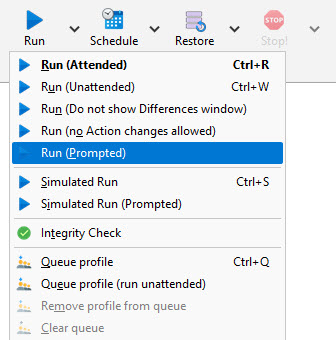
Alternatively, right-click on a profile in the main window and select Run (Prompted) from the pop-up menu. You can also run a profile simulated with prompts. When a profile is run as a Restore, you are always prompted.
What is a Prompted run?
Prompted basically means you are given options before the profile is run. For example, you can change the Source directory or choose which files to backup:
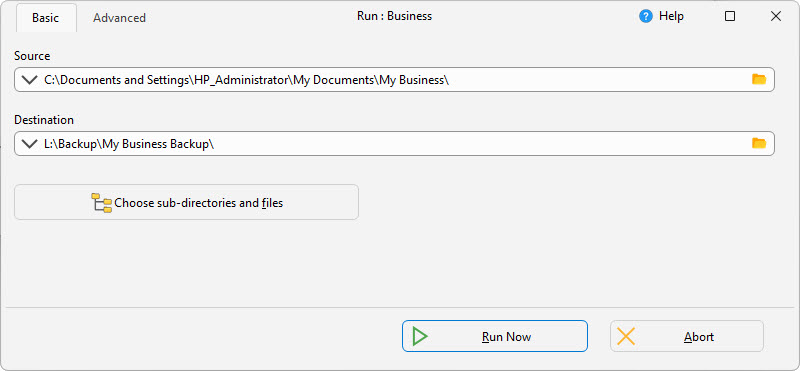
Restores are always run prompted.
All Content: 2BrightSparks Pte Ltd © 2003-2026