

Don’t Let Your Business Sink
Author: Debbie Grignani, 2BrightSparks Pte. Ltd.
Download PDF version [opens new window]
The screen of your laptop freezes up and you think it’s one of those occasional glitches that do not pose a cause for concern. After a quick call to your technical department you try to restart the computer as instructed, but nothing happens. Keeping the power button pressed doesn’t even work. You’re instructed to turn the power socket off and then back on. This time your laptop refuses to turn back on. If matters are not bad enough, your critically important corporate sales presentation is scheduled to take place in less than 2 hours. All your presentation slides and materials required for the meeting are password protected and kept “safely” in your laptop. Due to the sensitivity of the data files, there are no printed hard copies. At this point, you start to panic, your head starts spinning, and you wished you had thought about backing up your data files to external media. This is an increasingly concerning and familiar scenario for businesses today.
Business Data Loss
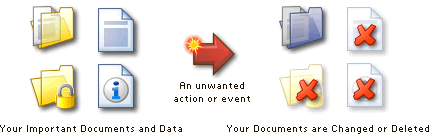
There are a number of ways in which businesses experience data loss disasters. Malicious virus attacks, disk malfunctions, accidental or deliberate deletions, or theft. Considering that businesses rely so heavily on electronic data storage, it is little wonder that they often incur significant financial losses as a result of data loss, and that for an increasing number of people, this sadly leads to the loss of their livelihood. A recent PC World article shows how hard-drive failures are surprisingly frequent.
According to the National Archives & Records Administration in Washington, US, 93% of companies filed for bankruptcy within a year of disaster when they lost their data center for 10 days or more. What’s even more concerning is that, 50% of companies without data management for the same period filed for bankruptcy immediately. In the most recent estimate available in a study by Pepperdine in 2003, US businesses suffered losses of more than $18 million a year because of data loss. Today’s figures are likely to be much higher as computers are relied upon in the workplace like never before.
A recent survey by researcher Brilliant Ideas LLC showed of more than 500 senior IT professionals, 89 percent test their disaster recovery/failover systems only once a year or not at all, leaving their businesses vulnerable to technology failures in the event of a disaster.
Data Recovery Plans
It is incredible that businesses still fail to have a regular backup schedule and data recovery plan in place. In a recent survey by Symantec, it was found that 90% of users store personal information on their computers, but only 57% of them perform backup their data. The reality is simple: backup your data or risk losing everything!
As soon as a business has made the wise decision to perform backups on their data files, their next step is to choose between the wide ranges of backup software available. It is important to identify the company’s needs in addition to the backup process. When you have narrowed down the list of backup software you think might do the job well for you, make sure you’ve also considered the following. It is the additional resources which often mark one company out from the rest and indicates their commitment to quality and service:
| • | The cost of the software (is volume licensing an option) |
| • | The price of technical and after-sales support |
| • | Trial version to adequately assess the software meets your company’s requirements |
| • | Frequent software updates (review the “history of changes” page) |
| • | Online resources such as tutorials, Knowledge Base articles and FAQs |
| • | A lively forum to review user comments about the software |
Business Backup Solutions
2BrightSparks Pte Ltd offers two software options for a business’s backup and synchronization needs. The commercial versions, SyncBackPro and SyncBackSE, provides outstanding features which include the following:
| • | File Versioning |
| • | Delta Copy |
| • | The ability to backup locked or opened files |
| • | Fast Backup |
| • | Intelligent Synchronization |
| • | Powerful FTP/FTPS support |
| • | AES encryption |
| • | Superb feature set and customization |
| • | Generous Licensing Policy |
| • | Extensive Help Documentation |
In addition to the above features, SyncBackPro also has the following additional features:
| • | Cloud backup and sync |
| • | Backup Integrity Checking |
| • | Email Backup |
| • | Scripting Support |
| • | SFTP Support |
| • | BZip2 and LZMA Compression |
| • | Automatic Drive Failure Detection |
The other option is the freeware version (SyncBackFree), for businesses that require a basic yet effective backup and synchronization software.
Don’t delay! Make sure your business has an effective backup routine and disaster recovery plan to protect your priceless information. Don’t test your luck and join the ever increasing line of businesses that needlessly fail because they neglected the important task of backing up their data files. Start today and enjoy the peace of mind that backup software brings.
For more information and guidance about backing up read The Backup Guide.
Noted Customers


















© 2003-2024 2BrightSparks Pte. Ltd. | Home | Support | Privacy | Terms | Affiliate Program